Our WordPress AI Engineer is the technical assistant inside the WordPress Manager for NabWP Managed WordPress Hosting. It can investigate your WordPress installation, inspect supported files and logs, use WordPress management commands, make approved changes, and check whether the requested result has been achieved. You can ask for help in ordinary language while working in the same client area used to manage your site.
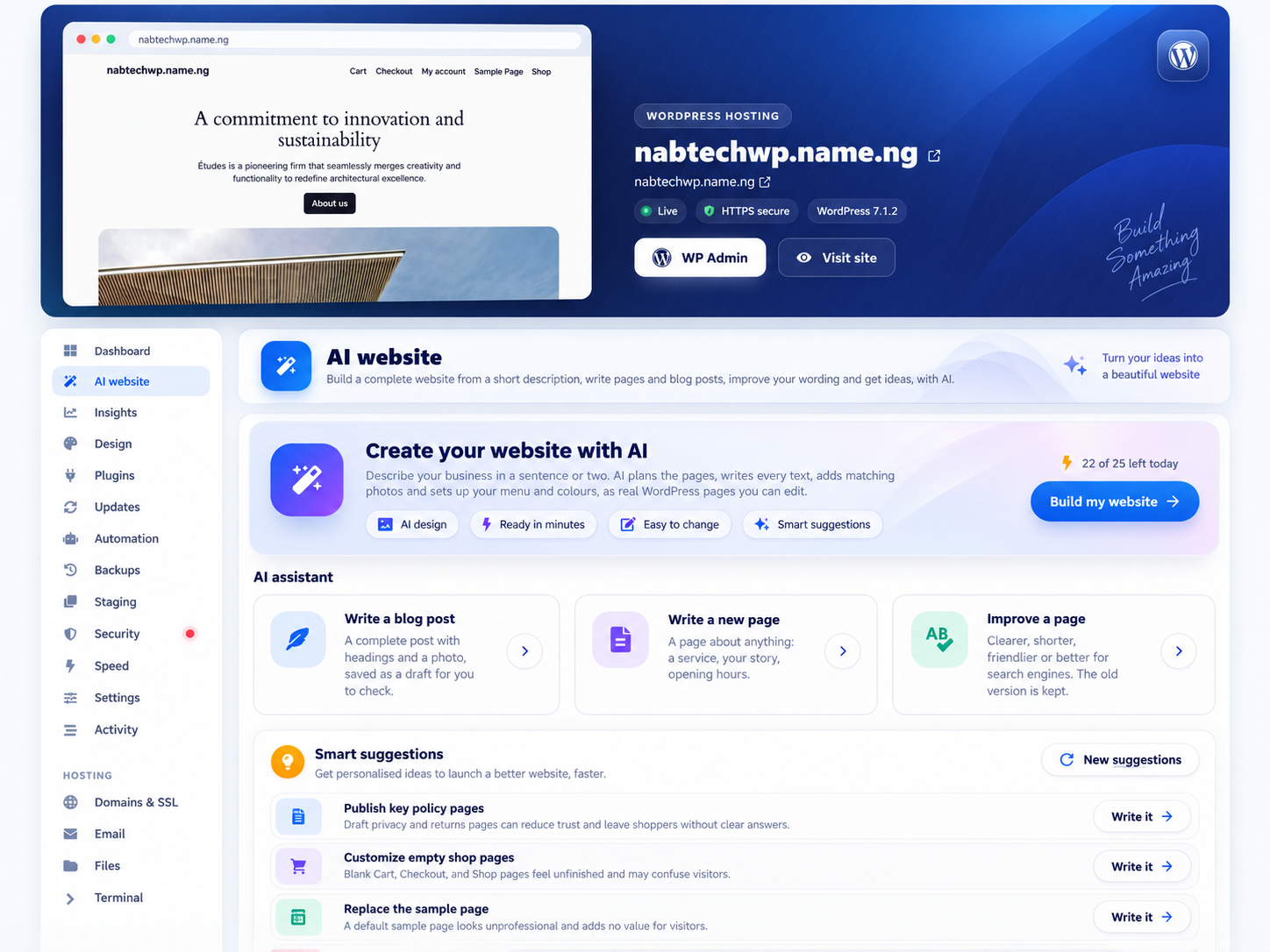
AI website creation on NabWP. Generated websites remain editable in WordPress.
IN THIS ARTICLE
01 Use the builder and Engineer for the right work
The AI website builder and the Engineer serve different parts of your workflow. The builder helps create and improve editable WordPress pages, layouts, and content through the website creation tools. The Engineer supports investigation, maintenance, troubleshooting, and custom development around your installation. A business might use the builder to create its first pages, then ask the Engineer to investigate a plugin conflict or develop a small site-specific feature.
Depending on the tools available for your service, the Engineer can examine plugin and theme information, review errors, check website responses, inspect configuration, work with WordPress commands, and read or change code. It can help investigate broken pages, update-related problems, redirect issues, and technical performance concerns. These are capabilities to investigate and act, rather than promises that every issue has an automatic solution.
02 Run and review supported changes
- For useful results, identify the affected site and explain the behavior you expect.
- Ask the Engineer to inspect first and describe any proposed change.
- Use staging and an appropriate backup for work that could affect customers or content.
Supported file edits have an Undo mechanism, while broader changes may require a backup-based recovery process.
After execution, review the actual page or function yourself as well as the Engineer's checks.
03 Example: hand a technical problem to the WordPress Engineer
Use the builder for a planned new design and the Engineer for a reproducible technical problem. Replace the address and plugin details below with the selected staging website and the facts you have observed. Keep production changes outside this initial investigation.
Website: https://staging.example.com
Problem: the Contact page stopped submitting after the form-plugin update.
Expected: one accepted submission reaches the approved test inbox.
First inspect the relevant error and plugin state. Explain the likely cause.
Do not rebuild the site, change payments or alter production.
Show one proposed correction, its affected files or settings and recovery plan.
Wait for my review before applying it, then repeat the same form test.
Expected result: the session produces evidence and a defined change to review. A generated explanation or successful command is checked against the actual form result. Supported file Undo and a full backup remain different recovery methods.
Should I use the website builder, writing tools or WordPress Engineer?
- Use Build my website for a coordinated starting design on a fresh or protected test website.
- Use Write a blog post, Write a new page or Improve a page for focused editorial work instead of restarting a complete build.
- Use AI Engineer to inspect errors, configuration or code, and review supported changes before they are applied.
These WordPress AI workflows share the hosting service daily allowance. A complete build can need several AI requests, so check the displayed usage before starting. The full builder can publish pages and activate its supported block theme during the build; individual writing tools have separate draft and publication controls.